
Order software for tailor shops
Take the order once. Everything else follows.
Take the order at the counter and the workshop sheet, invoice and balance are ready.
One shop, four kinds of work
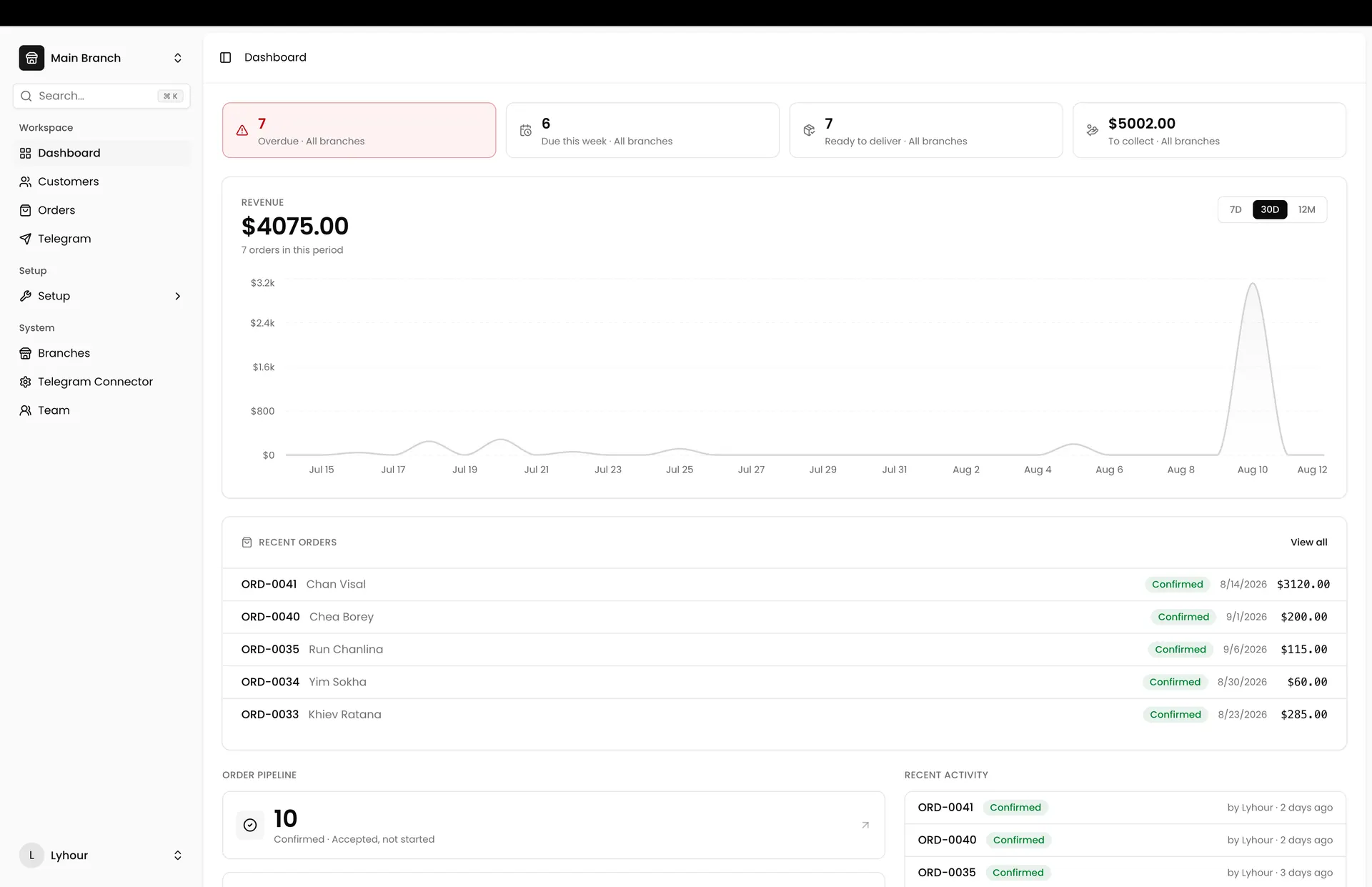
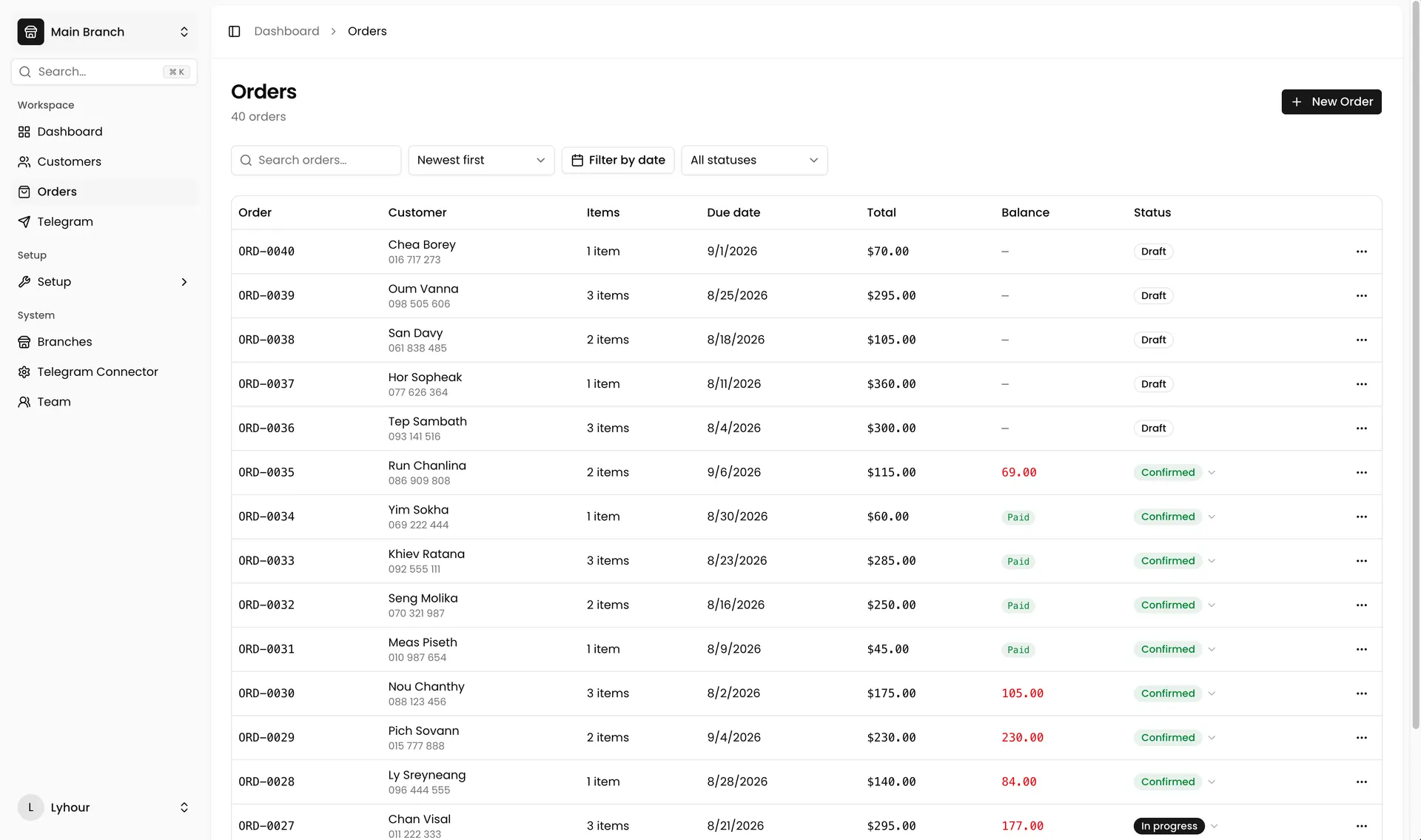
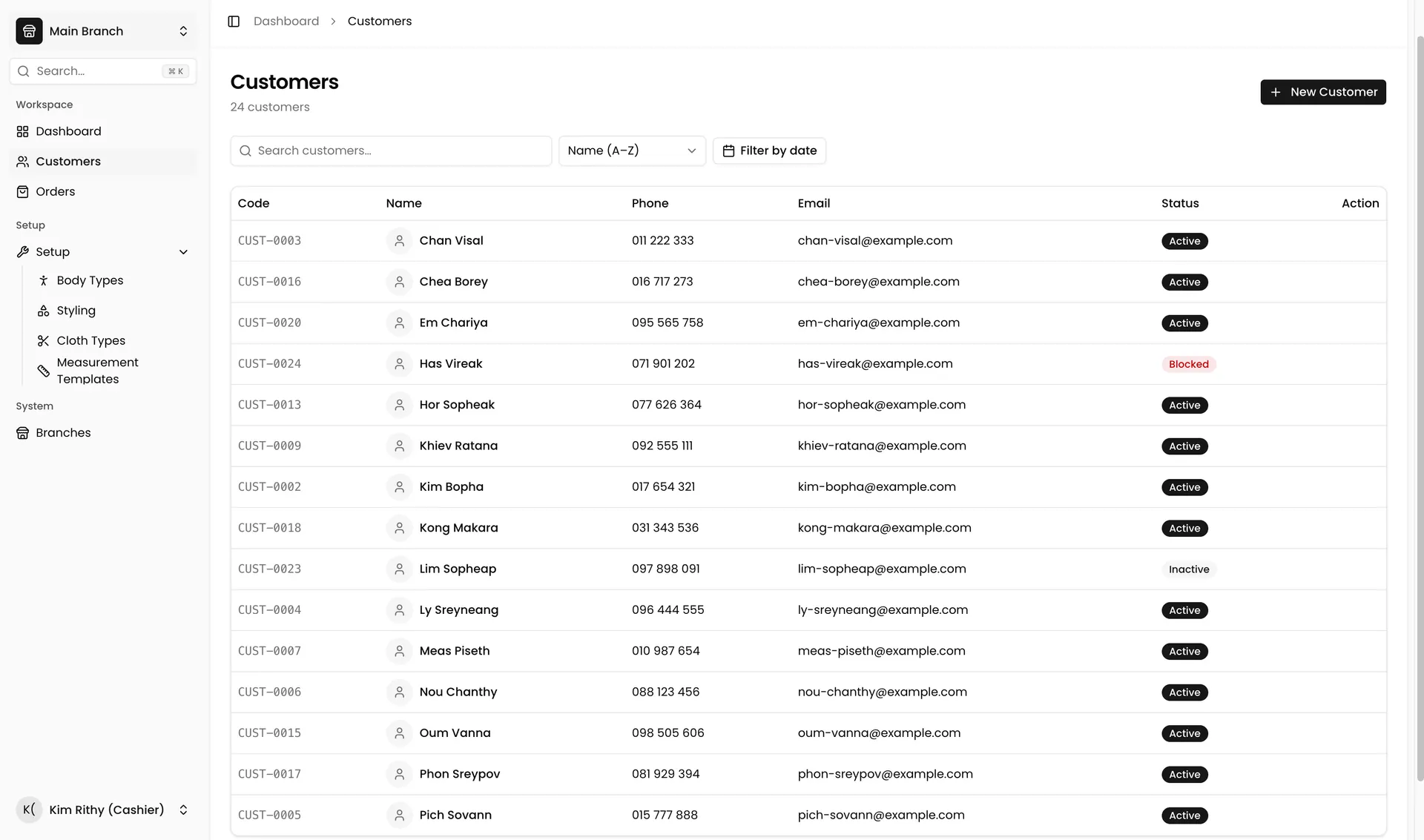
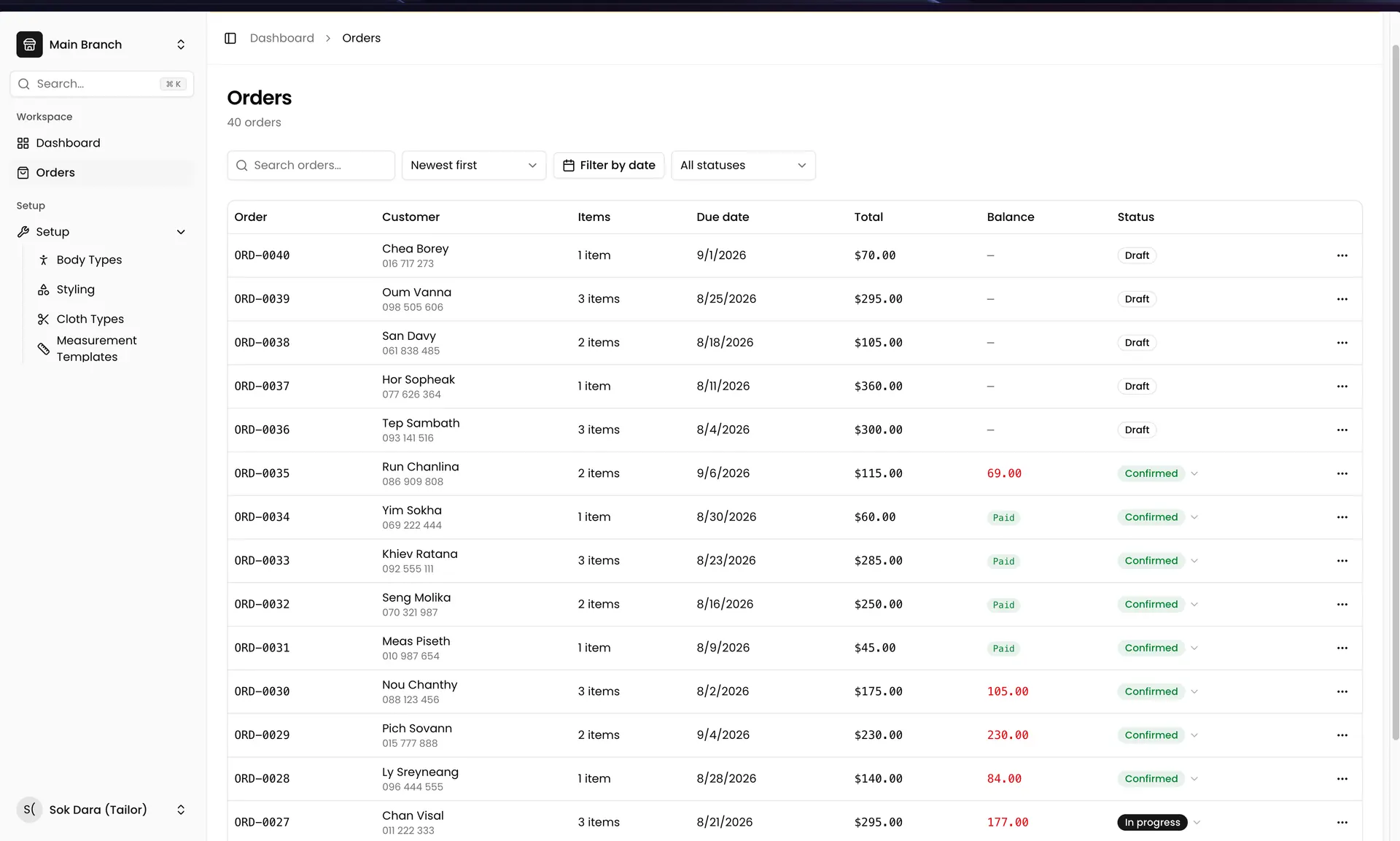
Everyone sees their own work, and nothing else.
Each role is already set up in TailorOS. The screen changes with the role, so a tailor is not looking at your money and a cashier is not changing your branches, and nobody has to configure it. If these four do not match how your shop works, ask us and we will set up a role to fit it.
Sees
Everything. Orders, clients, revenue, the order pipeline, every branch, your team, and all the setup: cloth types, design options, body types, measurement templates.
Only the owner can
Add and change branches, connect Telegram, and remove staff.
Made for Cambodian shops
The parts that matter in a real shop.
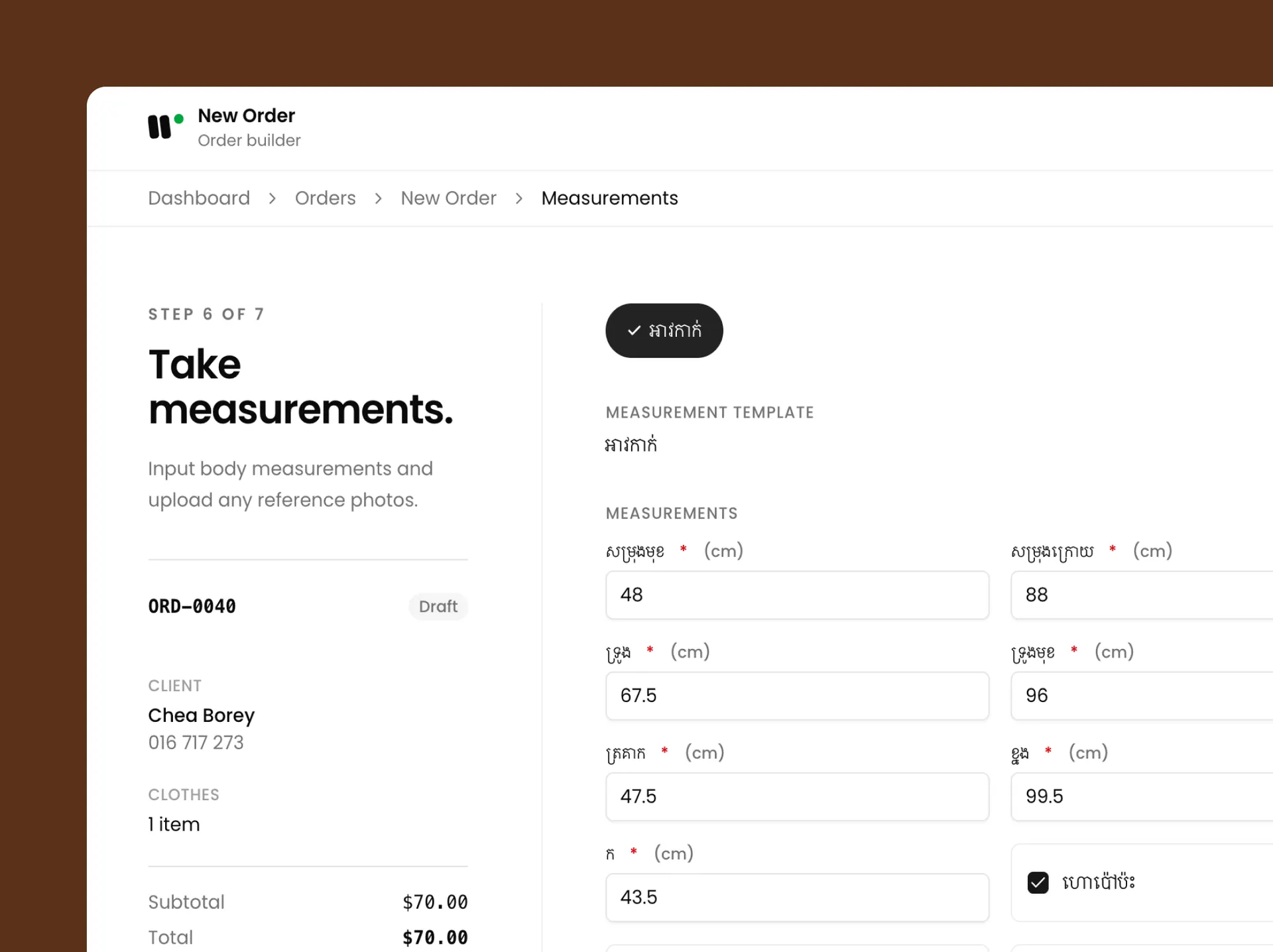
Measure once for garments that are the same
Three pairs of trousers for one client are usually the same numbers. Take them once and apply them to the others in one tap. It asks before it replaces anything, and you can undo it.
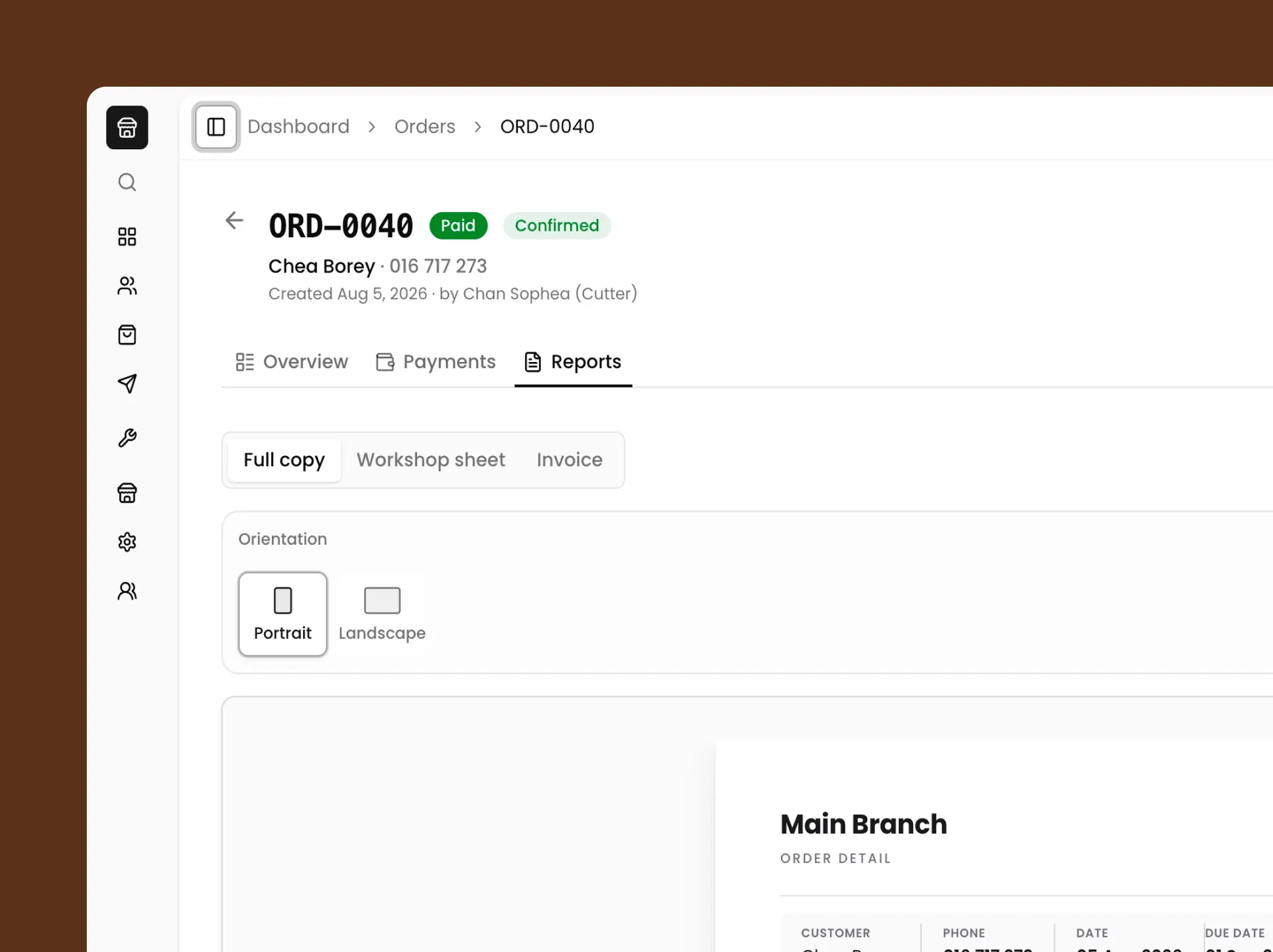
Inside the app
Taking one order, screen by screen.
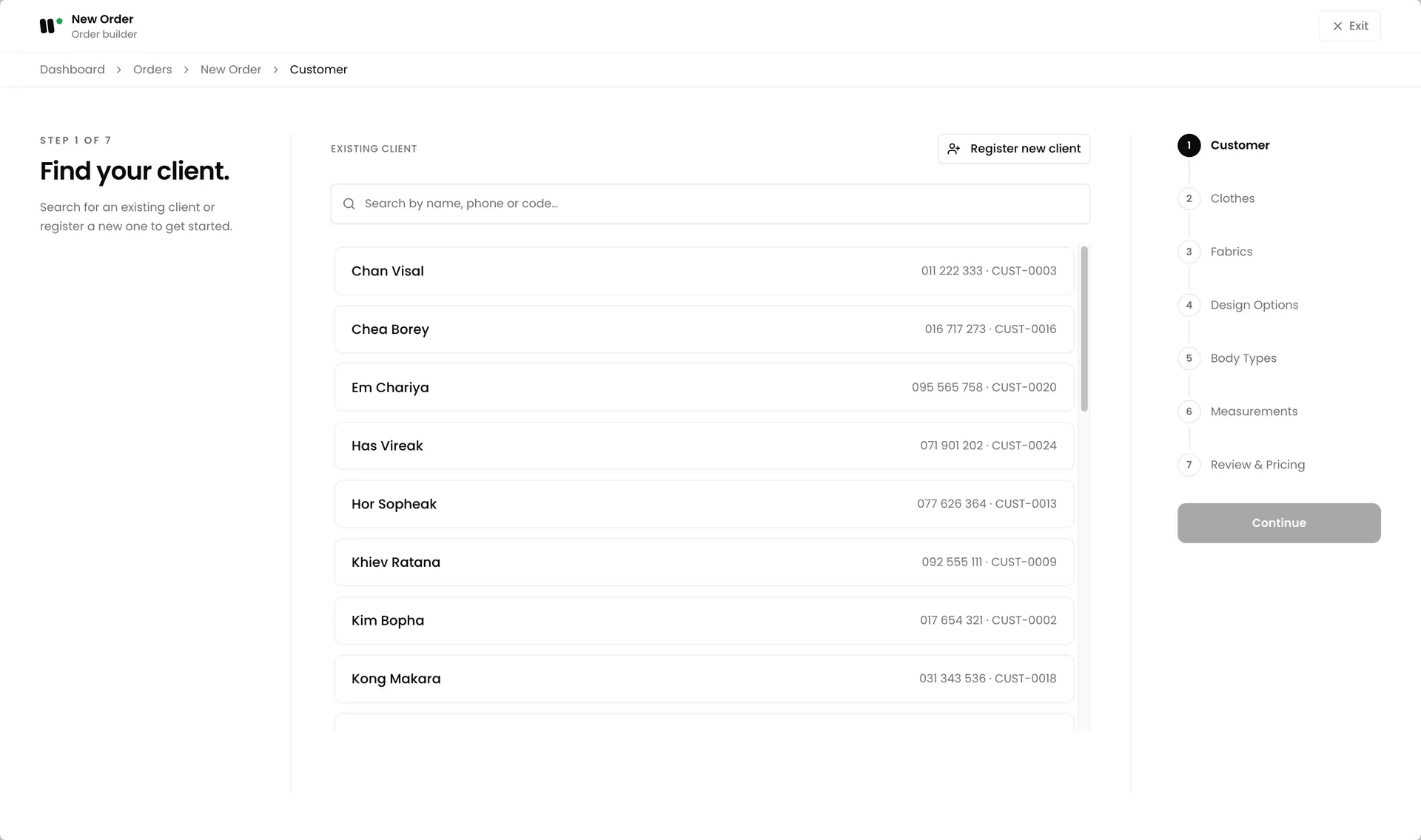
A new order moves through seven steps. Each step saves as you go, so you can stop when a client walks in and continue later from the same place.
Step 1:
Find your client
The screen opens on "Find your client." Search by name, phone or code and a returning client is one tap. If they are new, choose Register new client and enter full name, phone, gender, weight and height. Email is optional.
Step 2:
Choose cloth
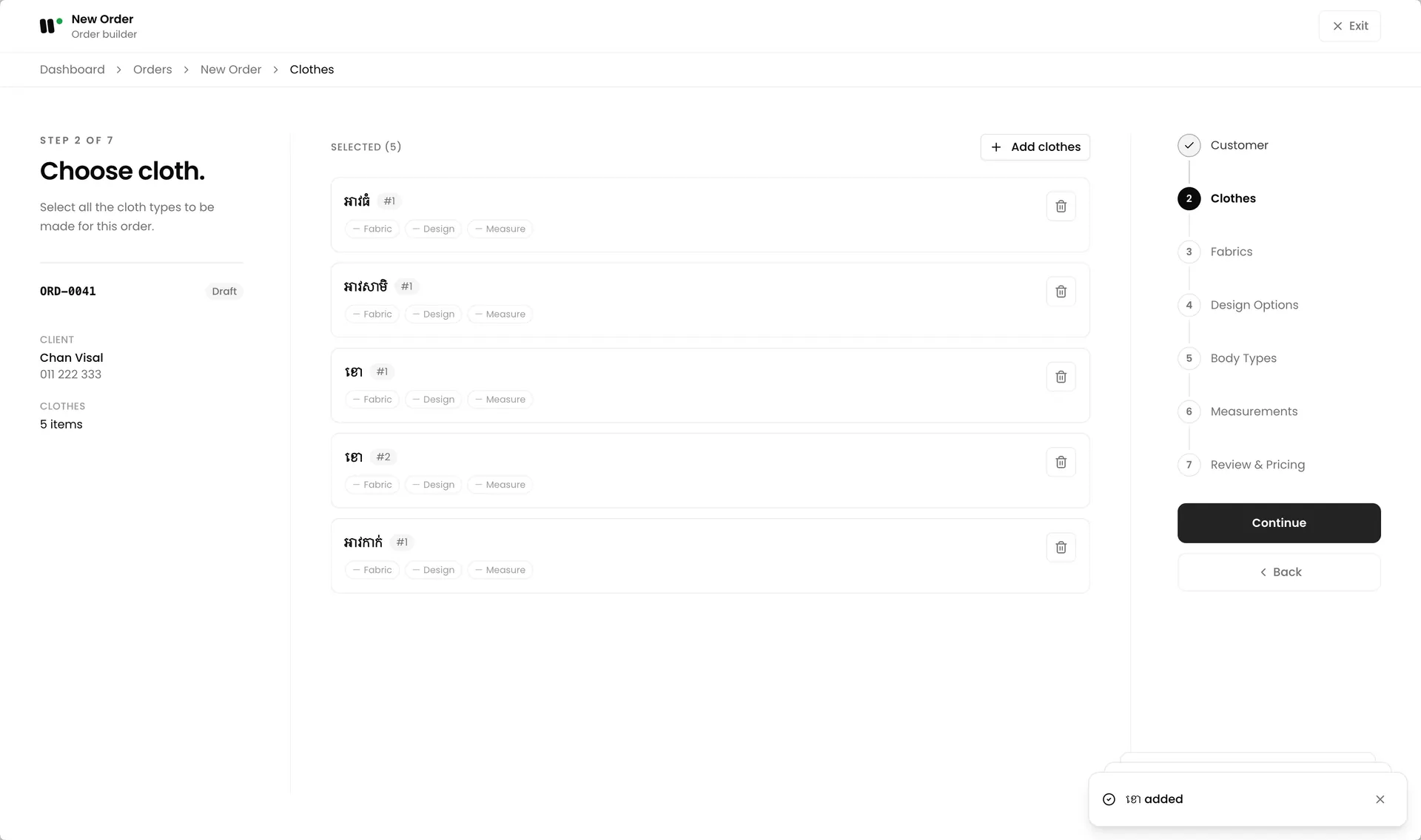
Add every garment on the order. Tap a cloth type to add it, and add the same type more than once when a client orders three shirts. Each garment shows three marks, Fabric, Design, Measure, so you can see what is still missing before you move on.
Step 3:
Fabrics
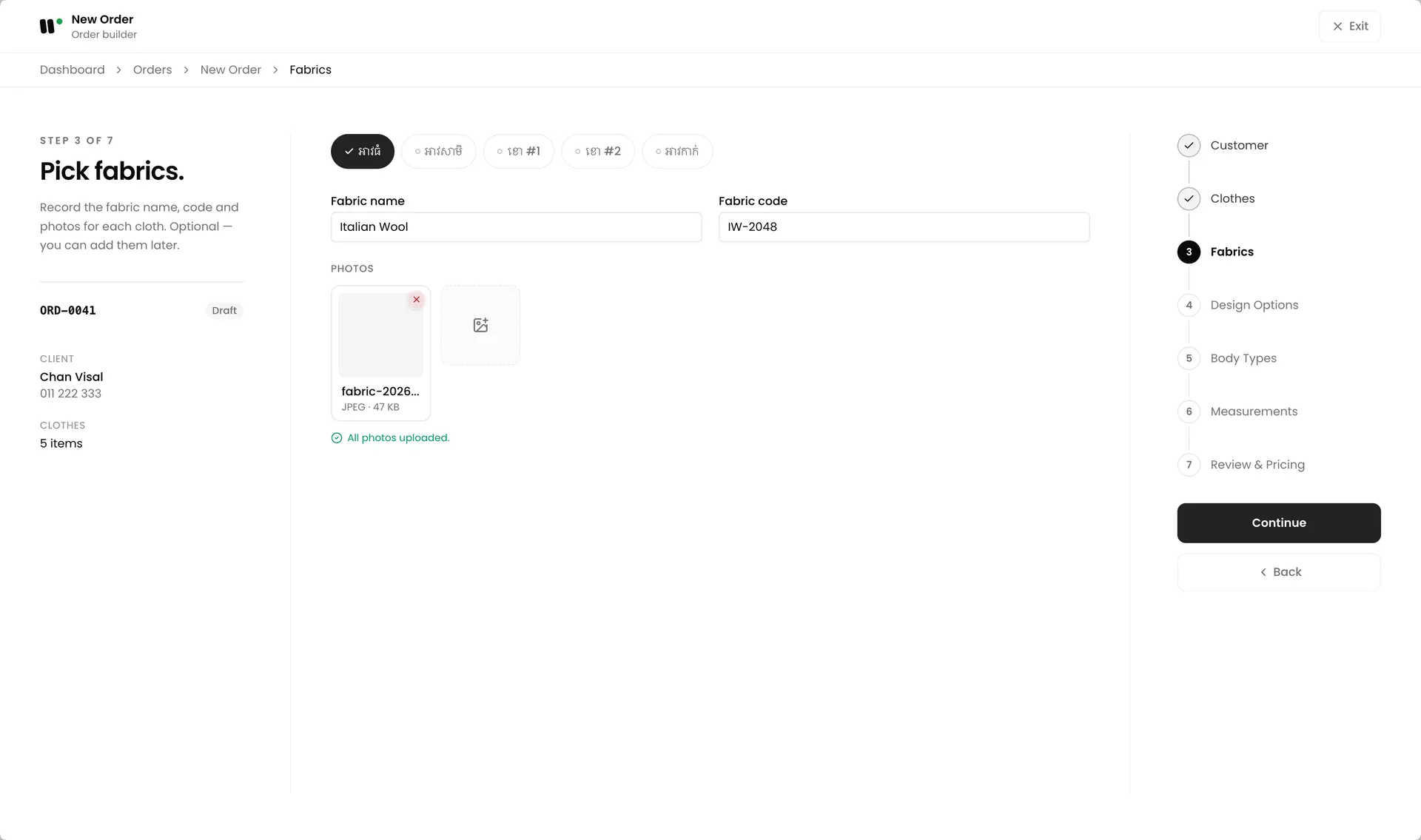
Record the fabric for each garment: its name, its code, and a photo of the cloth. The picture stays on the order, so the bench and the client are looking at the same fabric later.
Step 4:
Design options
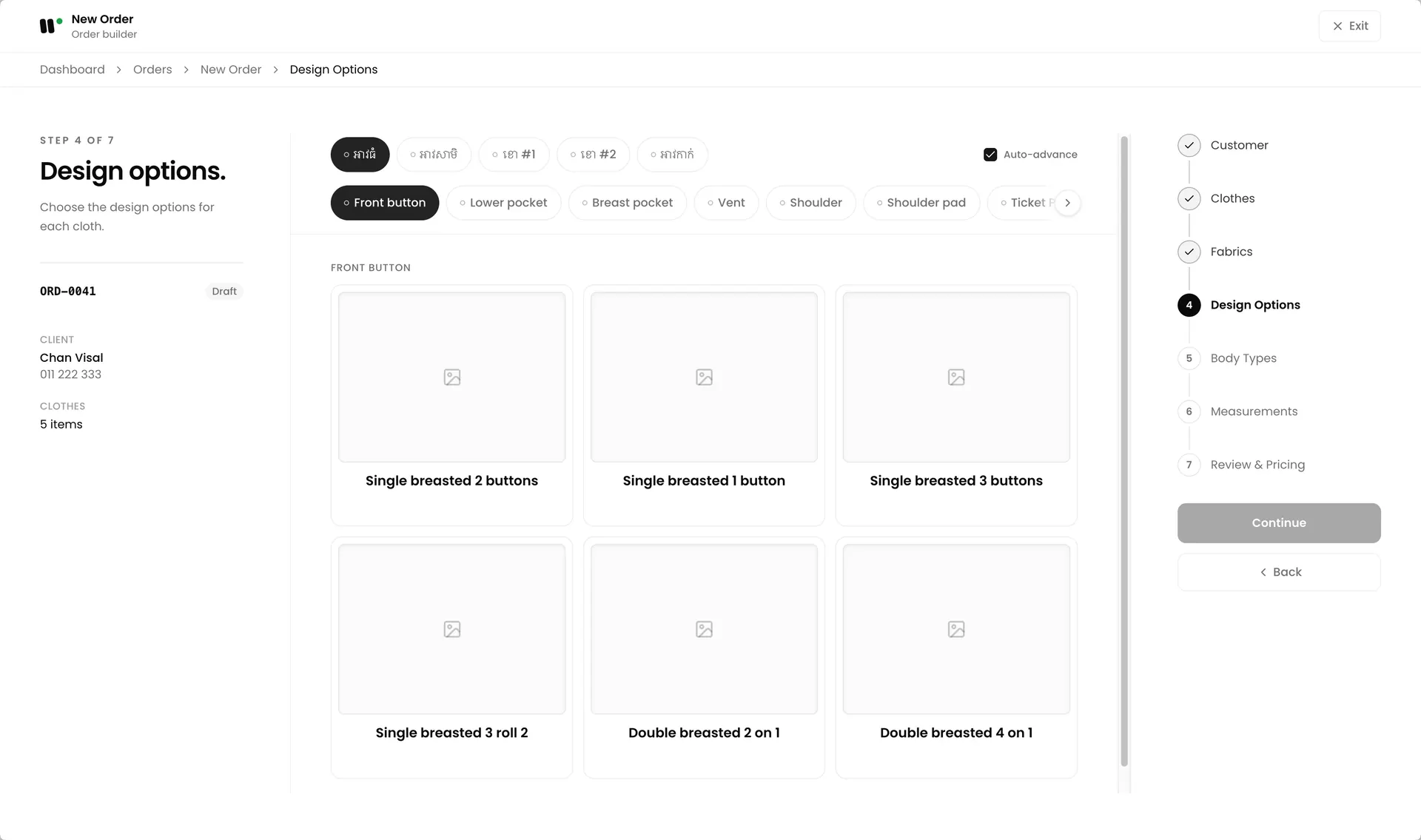
Choose the design for each garment, one choice per group: collar, pocket, cuff, whatever your shop offers. You build these groups yourself under Setup, so the list is your shop's list, with your own photos.
Step 5:
Body types
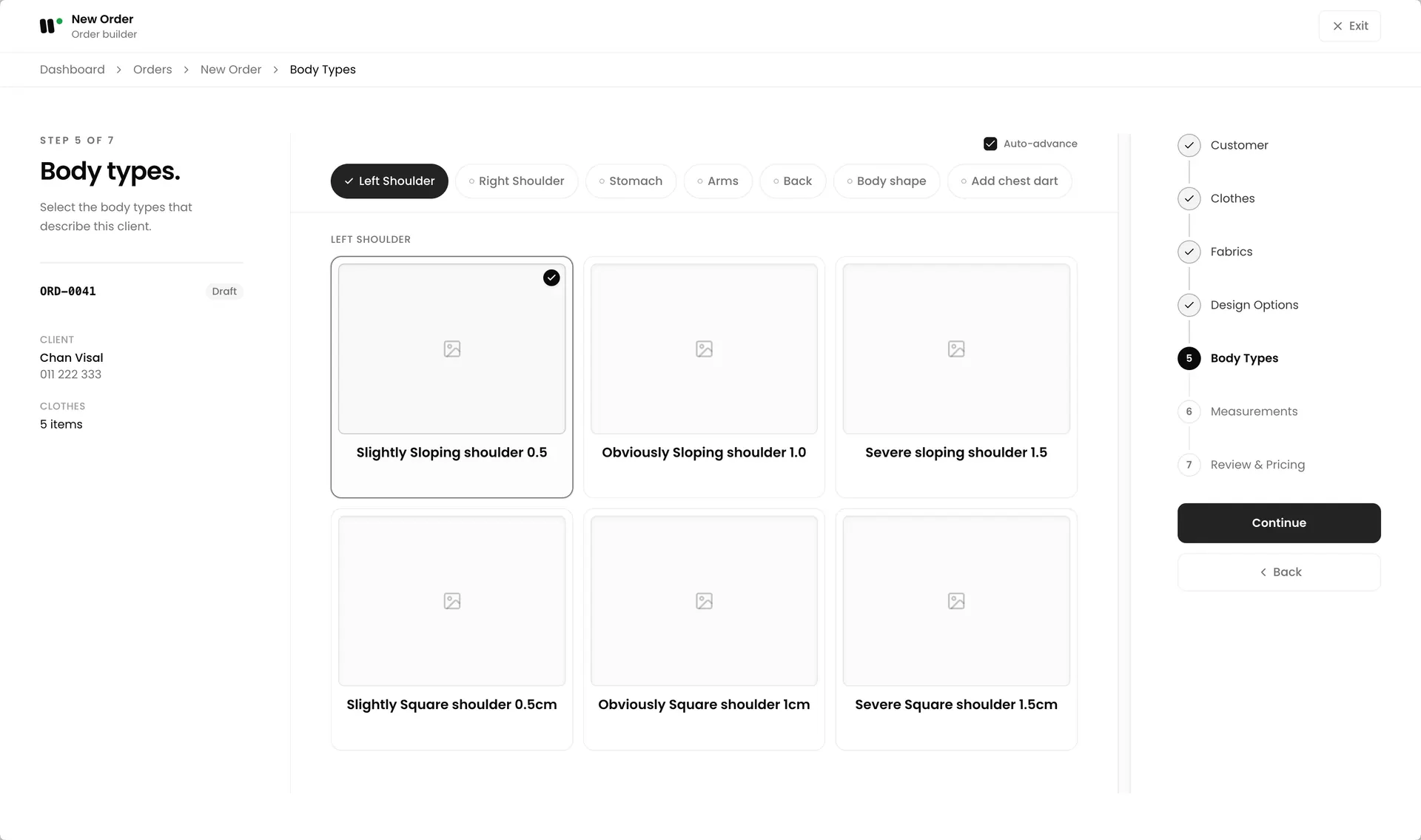
Record the shape you are fitting before you take a single number: left and right shoulder, stomach, arms, back, body shape. Each option is a picture with its own allowance, so a sloping shoulder is written down once and every tailor on the bench cuts to the same thing.
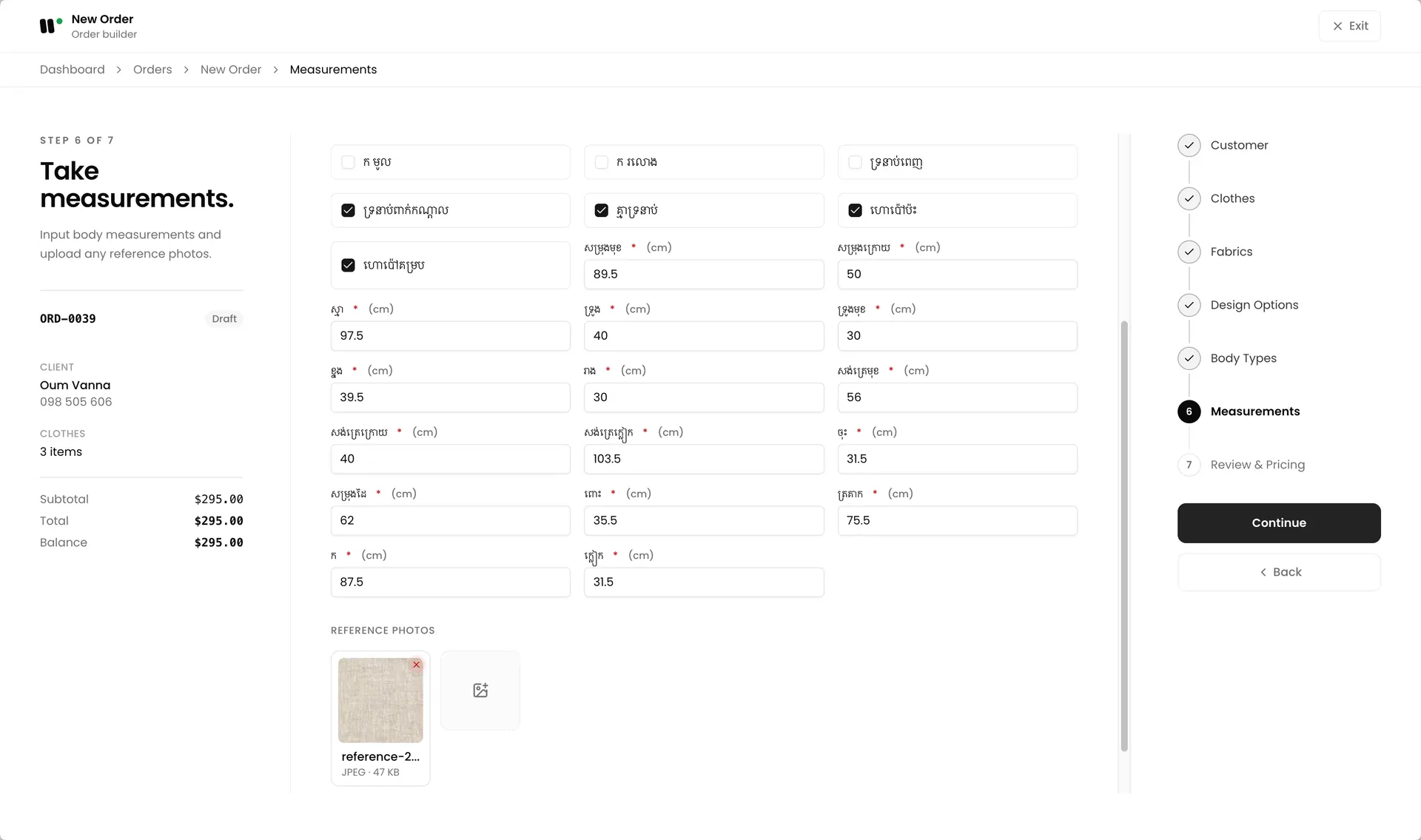
Step 6:
Take measurements
Each garment shows the measurement fields for its cloth type, with the unit next to each one. Type as you measure, the screen saves on its own, so a closed tab does not cost you the numbers. Reference photos sit on the same screen when a number needs a picture beside it.
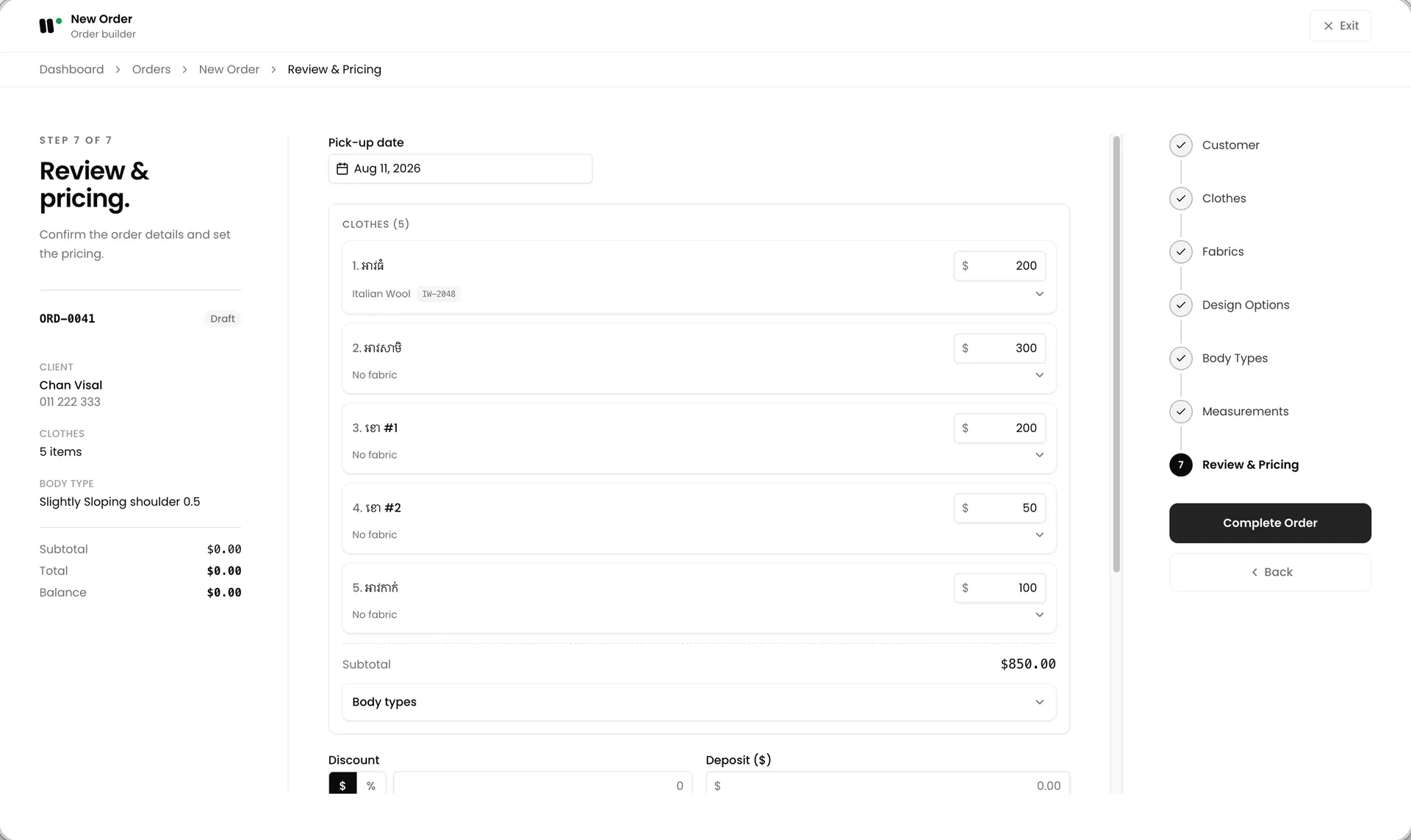
Step 7:
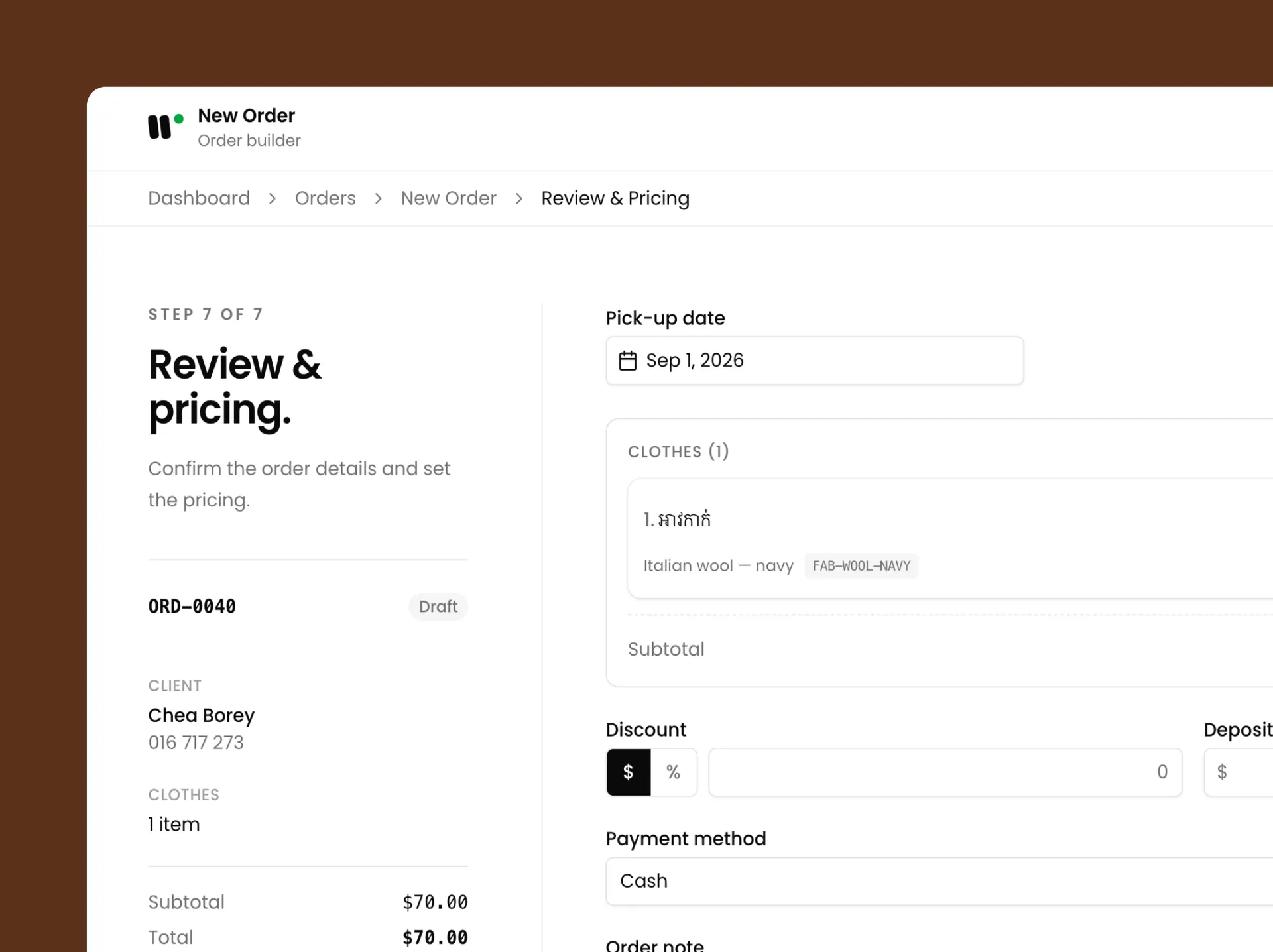
Review and pricing
The last screen holds the money and the date: Sub total, Discount, Deposit with the method it was paid by, Pick-up date, and an order note. The total and the balance are shown before you confirm.
“It has made taking an order faster, and finding what we need is easy. Our returning clients do not have to be measured again.”
We work with a small number of shops on purpose.
TailorOS is built with tailor shops, not for an imagined one. We keep the group small so we can sit with each shop, set it up with your own cloth types and measurement forms, and change the software when your way of working does not fit it. Join now and your shop shapes what gets built next.
Request a demoQuestions shop owners ask.
Yes. TailorOS runs in the browser, so it works on whatever is already at your counter. There is nothing to install and nothing to update.
Yes. The whole app is in Khmer and English, and each person can switch to the one they read. Your own cloth types, design options and measurement names are whatever you type them as.
No. You take the money the way you take it today, in cash, by transfer or by QR. TailorOS records what was paid, how, and what is still owed, and keeps the running balance for you.
Each branch is set up separately, with its own staff and its own orders. Managers see the branch they run. The owner sees every branch, and the revenue of each one, in one place.
Yes. Measurements, fabric, design and pricing can all be changed after confirming, and every change is recorded with who made it and when, so nothing is quietly rewritten.
No. Their measurements are already on their record from the last order. Pull them up, adjust anything that has changed, and take the order.
We help you bring across your existing clients and their measurements when we set your shop up, so you are not starting from an empty list.
Only the owner and the manager of a branch. Cashiers see what to charge at the counter. Tailors see no money at all.
Start with your next order.
Send your shop's details and we will set up a demo account for you: your branches, your staff, your cloth types and your measurement forms. You have it for 7 days. Take one real order through it and see if it fits your counter.
- We reply within one working day.
- We set the shop up with you. There is nothing to install.
- Your shop's information stays yours. We do not share it.